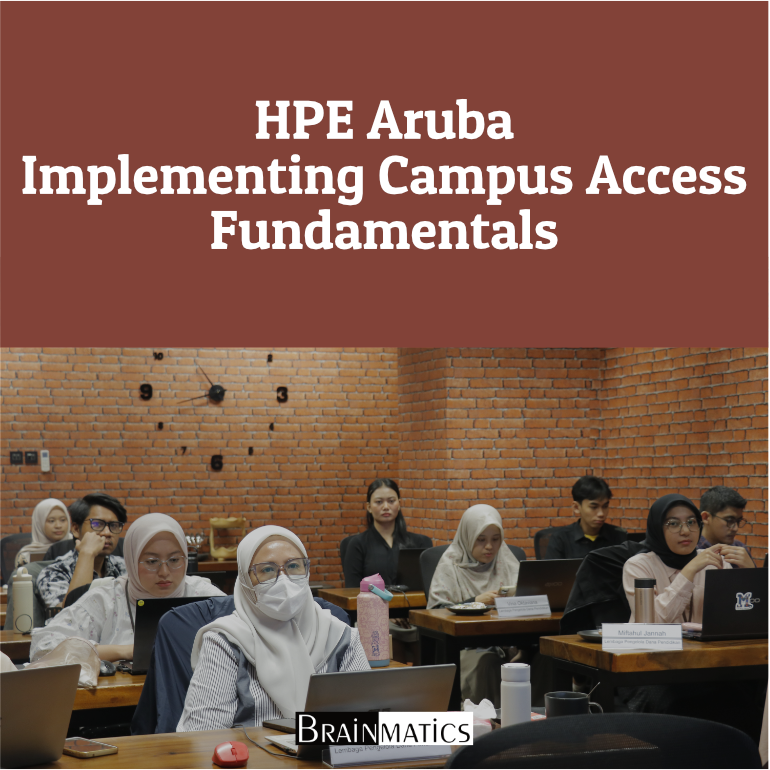
 Banyak organisasi menghadapi tantangan dalam mengelola jaringan kampus yang semakin kompleks, terutama ketika jaringan harus mendukung koneksi wired, wireless, akses tamu, IoT, segmentasi pengguna, keamanan, high availability, serta monitoring terpusat. Tanpa implementasi campus access yang tepat, organisasi dapat mengalami gangguan konektivitas, lemahnya kontrol akses, kesulitan troubleshooting, serta keterbatasan visibilitas terhadap performa jaringan. Oleh karena itu, pengelolaan jaringan kampus modern membutuhkan pemahaman teknis mengenai switching, routing, wireless LAN, gateway, access control, policy enforcement, dan network monitoring secara terpadu.
Course HPE Aruba Implementing Campus Access Fundamentals dirancang untuk membekali peserta dengan keterampilan praktis dalam mengimplementasikan solusi HPE Aruba Networking Campus Access. Materi course mencakup pengujian remote lab connectivity, konfigurasi VSX, VSX LAG, OSPF, route redistribution, onboarding switch ke Aruba Central menggunakan Zero Touch Provisioning (ZTP), deployment gateway, automatic gateway clustering, tunnel WLAN, corporate 802.1X WLAN, ClearPass Guest, PSK IoT WLAN, mixed forwarding WLAN, wired access control, serta integrasi wired access dengan Aruba Gateways. Cakupan ini selaras dengan pendekatan Implementing Aruba Campus Access Lab Guide yang menekankan praktik konfigurasi, verifikasi, monitoring, dan troubleshooting pada skenario campus access berbasis teknologi Aruba (Aruba Networks, 2022).
Selain implementasi wired dan wireless access, course ini juga membahas aspek lanjutan seperti role-based access control, dynamic authorization, gateway cluster deployment, group based policies dengan EVPN, service survivability, admin authentication, traffic optimization, QoS, AirMatch, dan monitoring menggunakan Aruba UXI Sensors. HPE menjelaskan bahwa Implementing Campus Access berfokus pada keterampilan untuk mengimplementasikan dan mengoperasikan solusi HPE Aruba Networking Campus Access pada level enterprise. Dengan mengikuti course ini, peserta diharapkan mampu mengonfigurasi, mengamankan, memverifikasi, dan melakukan troubleshooting solusi Aruba Campus Access secara lebih terstruktur sesuai kebutuhan jaringan enterprise.
OBJECTIVES
1. Memahami konsep implementasi HPE Aruba Campus Access, termasuk Aruba Central, switch, gateway, WLAN, dan UXI Sensors
2. Mampu mengonfigurasi wired aggregation, VSX, OSPF, routing, gateway, dan high availability pada jaringan kampus
3. Mampu mengimplementasikan tunnel WLAN, corporate WLAN, guest WLAN, IoT WLAN, dan mixed forwarding WLAN
4. Memahami penerapan access control, role-based policy, ClearPass integration, EVPN group-based policies, dan service survivability
5. Mampu melakukan monitoring, traffic optimization, QoS, admin authentication, troubleshooting, dan verifikasi operasional Aruba Campus Access
AUDIENCE
1. Network Engineer
2. Network Administrator
3. Wireless Network Engineer
4. IT Infrastructure Engineer
5. Network Operations Center (NOC) Engineer
PREREQUISITES
Tidak ada training khusus yang dipersyaratkan
CONTENT
1. Testing Remote Lab Connectivity
1.1 Aruba Training Remote Lab Access
1.2 Testing Connectivity
2. Campus Wired Aggregation – VSX
2.1 Review the Initial Configuration
2.2 VSX Basic Configuration
2.3 Configure a VSX LAG
2.4 Configure VSX L3 SVI with Active Gateway
2.5 VSX Link Up Delay
2.6 VSX Split-Brain Detection
3. Wired Routing
3.1 Basic OSPF Configuration
3.2 Route Redistribution and Filtering Using Route Maps
3.3 Multi-Area OSPF and Route Aggregation Between Areas
3.4 Enhance OSPF Neighbor State Detection with BFD
4. Campus Wired with Central
4.1 Onboard a Switch to Central with ZTP
4.2 Aruba Central Initial Access
4.3 Managing Edge Switches Using a Template Group
4.4 Migrate Aggregation Switches to Aruba Central
5. Deploying APIs
6. Deploying Gateways
6.1 Configure Gateway Using the Setup Dialog
6.2 Configuring the Gateway in Aruba Central
6.3 Monitor Gateway Configuration Changes from Central
7. Automatic Gateway Clustering
8. Deploy Tunnel WLAN
8.1 Review the Wired Network
8.2 Create PSK Tunnel WLAN with the GW Cluster
8.3 Review the Configuration
8.4 Verify the Operation of the Tunnel WLAN
8.5 Configure GRE Over IPsec
9. Tunneled WLAN Cluster Operation
9.1 Review the Cluster Status
9.2 Cluster Bucket Map
9.3 Load Distribution and Failover
10. Deploy Tunnel Corporate WLAN
10.1 Understanding the AAA Profile on PSK WLAN
10.2 Configure Corporate 802.1X Tunnel WLAN
10.3 Connect with a WLAN Client
10.4 Monitoring and Roaming Key Distribution
11. Roles and Access Control
11.1 User Role Derivation
11.2 Use the WLAN Workflow to Apply Access Control
11.3 Gateway Controlled Access Control
11.4 Gateway Controlled Access Control Using the User Alias
11.5 Configure Dynamic Authorization with the Gateway Cluster
11.6 Server Rule-Based Role Derivation
12. Overlay Guest WLAN with ClearPass Guest
12.1 Verify a ClearPass Guest Page
12.2 Configure WLAN Profile with ClearPass Guest Splash Page
12.3 Test ClearPass Guest Access
12.4 Guest Authentication with ClearPass MAC Caching
12.5 Web Redirect for a Corporate User
13. PSK IoT WLAN
13.1 Create MPSK Local Overlay WLAN
13.2 Configure ClearPass-Based Role Mapping for MPSK
14. Configuring Mixed Forwarding WLAN
14.1 Employee WLAN with Mixed Mode
14.2 RADIUS-Based VLAN Assignment
14.3 Custom RADIUS Attribute in a VLAN Rule
15. Gateway Cluster Deployments
15.1 Move Gateway gw2 to the Group campus-main-dmz
15.2 Multi-Zone
15.3 Set Up Site-Based Clustering Using a Single Site
15.4 Site-Based Clustering Using Multiple Sites
15.5 Site-Based Cluster with Group-Based Backup Cluster
16. Wired Access Control
16.1 Configure sw-edge2 for Access Control and 802.1X
16.2 Enable MAC Authentication
16.3 User Roles with Device-Based Authentication
17. Wired Access with Aruba Gateways
17.1 Prepare the Gateway
17.2 Configure the Switch-to-Gateway Cluster Connection
17.3 Troubleshooting and Failover for UBT
18. Group-Based Policies with EVPN
18.1 Prepare Lab Environment
18.2 Verify the Group-Based Policy Configuration
18.3 Configure Access Control Between Roles
19. Service Survivability
19.1 Tunnel WLAN Central Survivability
19.2 Wired Cached Re-Authentication and Critical Role
20. Admin Authentication
20.1 Gateway Admin Authentication
20.2 Switch Admin Authentication
21. Traffic Optimization
21.1 WLAN Optimization
21.2 Wired QoS
21.3 Wireless QoS Marking
21.4 Wireless WMM Voice Class
21.5 AirMatch Configuration
22. Monitoring with UXI Sensors
22.1 Monitoring with the Aruba UXI Sensor
22.2 Integrate the UXI Dashboard with Aruba Central
22.3 Reset the Lab Customer Environment
- 24 Sections
- 52 Lessons
- 40 Hours
- PERSIAPAN2
- 1. Testing Remote Lab Connectivity3
- 2. Campus Wired Aggregation - VSX2
- 3. Wired Routing5
- 4. Campus Wired with Central3
- 5. Deploying APIs3
- 6. Deploying Gateways3
- 7. Automatic Gateway Clustering4
- 8. Deploy Tunnel WLAN3
- 9. Tunneled WLAN Cluster Operation4
- 10. Deploy Tunnel Corporate WLAN4
- 11. Roles and Access Control3
- 12. Overlay Guest WLAN with ClearPass Guest2
- 13. PSK IoT WLAN3
- 14. Configuring Mixed Forwarding WLAN6
- 15. Gateway Cluster Deployments2
- 16. Wired Access Control0
- 17. Wired Access with Aruba Gateways0
- 18. Group-Based Policies with EVPN0
- 19. Service Survivability0
- 20. Admin Authentication0
- 21. Traffic Optimization0
- 22. Monitoring with UXI Sensors0
- PENUTUPAN2