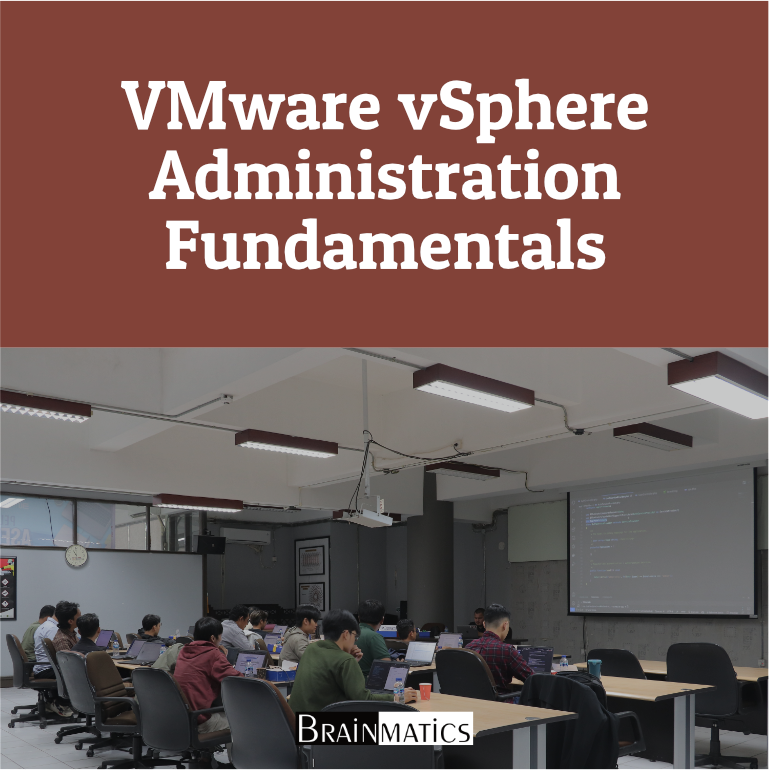
 Virtualisasi telah menjadi fondasi utama dalam pengelolaan infrastruktur TI modern, namun pada praktiknya masih banyak organisasi yang menghadapi kendala dalam mengelola lingkungan virtual secara aman, andal, dan efisien. Tantangan umum yang sering muncul meliputi kesalahan konfigurasi ESXi, kurang optimalnya pengelolaan resource, risiko keamanan akibat pengaturan akses yang tidak tepat, hingga keterbatasan pemahaman terhadap fitur ketersediaan tinggi seperti vSphere HA, DRS, dan Fault Tolerance. Ketidaksiapan dalam memantau performa serta menangani migrasi mesin virtual juga dapat berdampak langsung pada stabilitas layanan dan kontinuitas bisnis.
Course VMware vSphere Fundamentals dirancang untuk membekali peserta dengan pemahaman menyeluruh mengenai ekosistem VMware vSphere, mulai dari instalasi dan konfigurasi ESXi, pengelolaan vCenter Server, hingga pengoperasian mesin virtual secara efektif. Kursus ini membahas konsep inti virtualisasi, manajemen resource, monitoring, serta fitur availability seperti vMotion, Storage vMotion, High Availability, dan Distributed Resource Scheduler. Peserta juga akan dikenalkan pada aspek jaringan dan keamanan vSphere, termasuk vSphere Distributed Switch, user access management, firewall, dan Single Sign-On, serta dasar pengelolaan storage seperti datastore, snapshot, dan datastore cluster.
OBJECTIVES
1. Memahami konsep dasar virtualisasi dan arsitektur VMware vSphere
2. Menguasai instalasi dan konfigurasi ESXi serta pengelolaan vCenter Server
3. Mampu mengelola mesin virtual, resource, dan performa sistem secara efektif
4. Memahami fitur availability, migration, dan fault tolerance pada vSphere
5. Mengenal dasar jaringan, keamanan, dan storage pada lingkungan vSphere
AUDIENCE
1. VMWare Administrator
2. System Administrators
3. Infrastructure Engineers
4. IT Operations Engineers
5. Virtualization Engineers
PREREQUISITES
Tidak ada training khusus yang dipersyaratkan
CONTENT
1. Pengenalan Dasar Keamanan Informasi
1.1. Introduction
1.2. Hands-on Labs Interactive Simulation: ESXi Installation and Configuration
1.3. Ancaman & Kerentanan Keamanan Informasi
1.4. ESXi Host Client
1.5. vCenter 7 Overview
1.6. vCenter Server and Creating a Virtual Machine
1.7. Cloning Virtual Machines and Using Templates
1.8. Using Tagging and Search to Find Objects Quickly
1.9. Understanding vSphere Availability and Distributed Resource Scheduler (DRS)
1.10. vSphere 7 Fault Tolerance Provides Continuous Availability
1.11. Monitoring Events and Creating Alarms
1.12. Configure Shares and Resources
1.13. Migrating Virtual Machines with VMware vMotion
1.14. vSphere Monitoring and Performance
1.15. Introduction to vSphere with Tanzu
1.16. ESXi Install and Configure
1.17. Certification Path
2. Introduction to vSphere Networking and Security
2.1. Introduction
2.2. Working with the vSphere Distributed Switch
2.3. Adding and Configuring a vSphere Distributed Switch
2.4. Using Host Lockdown Mode
2.5. Configuring the Host Services and Firewall
2.6. User Access and Authentication Roles
2.7. Understanding Single Sign On
2.8. Adding an ESXi Host to Active Directory
2.9. Certification Path
3. Introduction to vSphere Storage
3.1. vSphere Storage Overview
3.2. Creating and Configuring vSphere Datastores
3.3. Storage vMotion
3.4. Managing Virtual Machine Disks
3.5. Working with Virtual Machine Snapshots
3.6. vSphere Datastore Cluster
3.7. Certification Path
Course Features
- Lectures 5
- Quizzes 2
- Duration 32 hours
- Skill level All levels
- Language Indonesia
- Students 5
- Certificate Yes
- Assessments Yes
- 3 Sections
- 5 Lessons
- 32 Hours