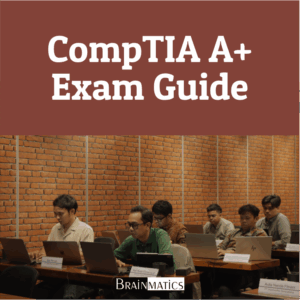
Perkembangan teknologi informasi membuat kebutuhan terhadap tenaga IT support yang mampu menangani perangkat, sistem operasi, jaringan, keamanan, dan troubleshooting semakin penting. Dalam operasional sehari-hari, gangguan pada komputer, laptop, printer, mobile device, jaringan, maupun sistem operasi dapat menghambat produktivitas pengguna dan berdampak pada kualitas layanan IT. CompTIA A+ menjadi salah satu sertifikasi entry-level yang menekankan kemampuan dasar dalam hardware, networking, mobile devices, operating systems, security, troubleshooting, dan operational procedures (CompTIA, 2024). Oleh karena itu, seorang teknisi IT perlu memiliki pemahaman menyeluruh mengenai perangkat keras, perangkat lunak, jaringan, keamanan dasar, serta prosedur kerja profesional.
Course CompTIA A+ Exam Guide dirancang untuk membantu peserta memahami kompetensi dasar yang dibutuhkan dalam peran IT support dan technical support. Materi course mencakup safety and professionalism, komponen komputer, CPU, RAM, firmware, motherboard, power supply, storage, peripheral, sistem operasi Windows, macOS, dan Linux, command-line interface, troubleshooting OS, display technology, networking, wireless, internet, virtualization, portable computing, mobile devices, printer, security, hingga operational procedures. Cakupan materi ini selaras dengan pendekatan pembelajaran CompTIA A+ yang membahas pemahaman perangkat komputer, sistem operasi, jaringan, keamanan, dan troubleshooting secara bertahap untuk membangun fondasi kerja teknisi IT (Meyers, 2019).
Dengan pendekatan exam guide, course ini tidak hanya membahas konsep dasar, tetapi juga membantu peserta memahami pola berpikir troubleshooting yang sistematis sesuai kebutuhan pekerjaan IT support. Peserta akan mempelajari cara mengidentifikasi masalah, melakukan instalasi dan konfigurasi perangkat, menjaga keamanan sistem, serta menerapkan dokumentasi dan change management. Materi dalam CompTIA A+ juga mencakup pemahaman menyeluruh mengenai perangkat keras, sistem operasi, jaringan, keamanan, dan prosedur operasional yang dibutuhkan untuk menangani berbagai permasalahan teknis di lingkungan kerja IT support (Meyers, 2019). Setelah mengikuti course ini, peserta diharapkan lebih siap menghadapi ujian sertifikasi CompTIA A+ dan mampu menjalankan peran sebagai IT support secara efektif.
OBJECTIVES
1. Memahami konsep dasar IT support, profesionalisme kerja, komunikasi efektif, dan prosedur keselamatan
2. Memahami komponen perangkat komputer seperti CPU, RAM, firmware, motherboard, power supply, storage, display, peripheral, dan printer
3. Mampu melakukan instalasi, konfigurasi, maintenance, dan troubleshooting sistem operasi Windows, macOS, dan Linux
4. Memahami dasar jaringan, internet, wireless networking, virtualization, cloud, portable computing, dan mobile devices
5. Memahami konsep keamanan komputer, operational procedures, dokumentasi, change management, serta persiapan ujian sertifikasi CompTIA A+
AUDIENCE
1. IT Support Technician
2. Help Desk Support
3. Technical Support Staff
4. Junior System Administrator
5. Computer Technician
PREREQUISITES
Tidak ada training khusus yang dipersyaratkan
CONTENT
1. Safety and Professionalism
1.1 The Professional Tech
1.2 Effective Communication
2. The Visible Computer
2.1 The Computing Process
2.2 Computing Hardware
2.3 Computing Software
3. CPUs
3.1 CPU Core Components
3.2 Memory
3.3 Modern CPUs
3.4 Selecting and Installing CPUs
3.5 Troubleshooting CPUs
4. RAM
4.1 Understanding DRAM
4.2 Types of RAM
4.3 Working with RAM
4.4 Troubleshooting RAM
5. Firmware
5.1 CMOS and the System Setup Utility
5.2 Power-On Self-Test (POST)
5.3 Care and Feeding of BIOS/UEFI
6. Motherboards
6.1 How Motherboards Work
6.2 Expansion Bus
6.3 Upgrading and Installing Motherboards
6.4 Troubleshooting Motherboards
7. Power Supplies
7.1 Understanding Electricity
7.2 Powering the PC
7.3 Installing and Maintaining Power Supplies
7.4 Troubleshooting Power Supplies
8. Mass Storage Technologies
8.1 How Hard Drives Work
8.2 Connecting Mass Storage
8.3 Protecting Data with RAID
8.4 Installing Drives
9. Implementing Mass Storage
9.1 Hard Drive Partitions
9.2 Hard Drive Formatting
9.3 The Partitioning, Formatting, and Pooling Process
9.4 Maintaining and Troubleshooting Hard Drives
10. Essential Peripherals
10.1 Supporting Common Ports
10.2 Common Peripherals
10.3 Removable Storage Devices
11. Installing and Upgrading Operation Systems
11.1 Windows Version and Editions
11.2 Installing and Upgrading Windows
11.3 Post-Installation Tasks
11.4 Selecting and Installing CPUs
12. Working with Operating Systems
12.1 Registry
12.2 Basic Windows Toolset
12.3 Processes, Applications, and Service Tools
12.4 macOS Preferences and Features
13. Users, Groups, and Permissions
13.1 Authentication with Users and Groups
13.2 Authorization Through NTFS
13.3 Sharing Resources Securely
13.4 Beyond Sharing Resources
14. Maintaining and Optimizing Operating Systems
14.1 Maintaining Operating Systems
14.2 Optimizing Operating Systems
14.3 Preparing for Problems
15. Working with the Command-Line Interface
15.1 Deciphering the Command-Line Interface
15.2 Mastering Fundamentals Commands
15.3 Working with Flies
15.4 Assorted Windows Commands
15.5 Assorted macOS and Linux Commands
15.6 Scripting
16. Troubleshooting Operating Systems
16.1 Common Windows Troubleshooting Procedures
16.2 Troubleshooting Common Windows OS Symptoms
16.3 Troubleshooting Problem Related to Motherboard
17. Display Technologies
17.1 Video Displays
17.2 Display Adapters
17.3 Installing and Configuring Video
17.4 Troubleshooting Video
17.5 Evaluating Monitors
17.6 Additional Display Topics
18. Essentials of Networking
18.1 Roles Hosts Play in Networks
18.2 Networking Technologies
18.3 Implementing Ethernet
19. Local Area Networking
19.1 Interconnecting Networks
19.2 Installing and Configuring a Wired Network
19.3 Network Organization and Access Control
19.4 Troubleshooting Networks
20. Wireless Networking
20.1 Wireless Networking Components
20.2 Wireless Networking Standards and Regulations
20.3 Installing and Configuring Wireless Networking
20.4 Troubleshooting Wi-Fi
21. The Internet
21.1 How the Internet Works
21.2 Connecting to the Internet
21.3 Using the Internet
21.4 Internet Troubleshooting
22. Virtualization
22.1 Hardware Virtualization
22.2 To the Cloud
23. Portable Computing
23.1 Portable Computing Devices
23.2 Extending Portable Computers
23.3 Managing and Maintaining Portable Computers
23.4 Upgrading and Repairing Laptop Computers
23.5 Troubleshooting Portable Computers
24. Mobile Devices
24.1 Mobile Computing Devices
24.2 Mobile Operating Systems
24.3 Configuring a Mobile Device
25. Maintaining and Securing Mobile Devices
25.1 Troubleshooting Mobile Devices Issues
25.2 Securing Mobile Devices
25.3 Mobile OS and Application Security Issues
26. Printers and Multifunction Devices
26.1 Printer and Multifunction Device Components and Technologies
26.2 The Laser Printing Process
26.3 Installing a Multifunction Device
26.4 Maintaining and Troubleshooting Printers
27. Securing Computer
27.1 Analyzing Threats and Vulnerabilities
27.2 Security Concepts and Technologies
27.3 Network Security
28. Operational Procedures
28.1 Implementing Best Practices Associated with Documentation
28.2 Change-Management Best Practices
28.3 Environmental Impacts and Local Environmental Controls
28.4 Prohibited Content/Activity and Privacy, Licensing, and Policies
Course Features
- Lectures 2
- Quizzes 2
- Duration 32 hours
- Skill level All levels
- Language Indonesia
- Students 0
- Certificate No
- Assessments Yes
- 2 Sections
- 2 Lessons
- 32 Hours
- PERSIAPAN2
- PENUTUPAN2