 Dalam lingkungan IT modern, pengelolaan infrastruktur secara manual menjadi semakin tidak efisien dan rentan terhadap kesalahan konfigurasi. Administrasi server yang dilakukan secara repetitif sering menyebabkan inkonsistensi konfigurasi, sulitnya melakukan scaling, serta meningkatnya risiko human error. Oleh karena itu, organisasi mulai mengadopsi automation tools untuk meningkatkan efisiensi operasional, konsistensi konfigurasi, serta kecepatan deployment layanan IT.
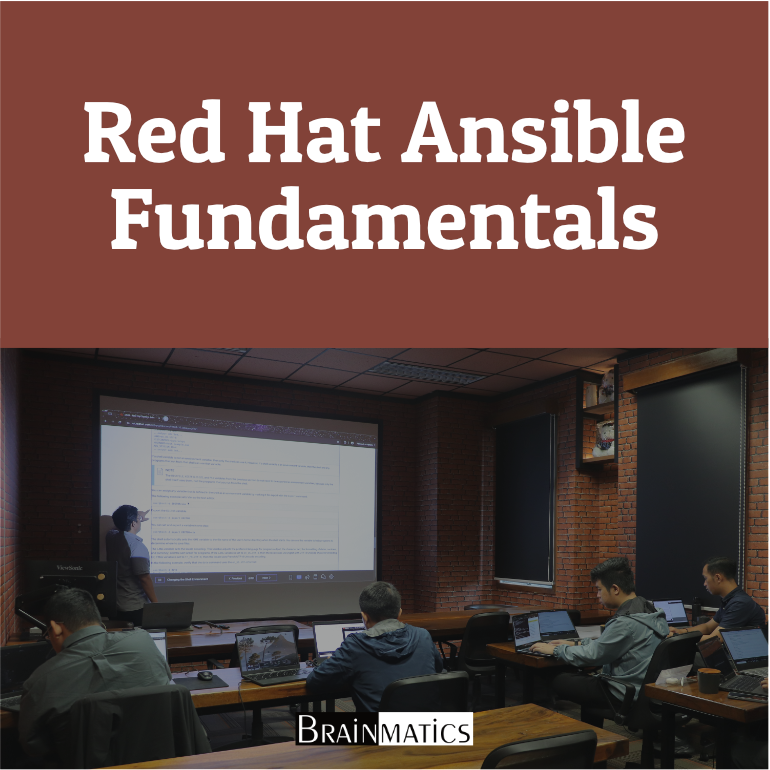
Red Hat Ansible merupakan salah satu tools automation yang paling populer untuk configuration management, provisioning, deployment, dan orchestration. Dengan menggunakan pendekatan berbasis agentless architecture dan YAML playbooks, Ansible memungkinkan administrator mengotomatisasi pengelolaan server, aplikasi, storage, network, serta security dengan cara yang sederhana namun powerful. Ansible juga menjadi salah satu kompetensi penting dalam jalur sertifikasi Red Hat Certified Engineer (RHCE).
Course Red Hat Ansible Fundamentals ini dirancang untuk memberikan pemahaman komprehensif mengenai dasar penggunaan Ansible, mulai dari konfigurasi environment, inventory management, penggunaan ad-hoc commands, hingga pembuatan playbook untuk mengelola user, service, file, storage, dan scheduled tasks. Peserta juga akan mempelajari penggunaan Ansible Vault untuk mengamankan data sensitif serta penggunaan roles dan collections untuk membangun playbook yang modular dan reusable. Dengan pendekatan hands-on, peserta akan mampu mengotomatisasi deployment aplikasi seperti Apache serta mengelola infrastruktur Linux secara efisien.
OBJECTIVES
1. Memahami konsep dasar IT automation menggunakan Red Hat Ansible
2. Membuat dan mengelola inventory, configuration file, dan ad-hoc commands
3. Mengembangkan playbook berbasis YAML untuk automasi konfigurasi sistem Linux
4. Mengelola users, services, files, storage, dan scheduled tasks menggunakan Ansible modules
5. Mengamankan data sensitif menggunakan Ansible Vault dan menyederhanakan playbook menggunakan roles dan collections
AUDIENCE
1. Linux System Administrator
2. DevOps Engineer
3. IT Infrastructure Engineer
4. Cloud Engineer
5. Automation Engineer
6. Technical Support Engineer
PREREQUISITES
Tidak ada training khusus yang dipersyaratkan
CONTENT
1. Introduction to Ansible
1.1. Red Hat and Ansible
1.2. Red Hat Certifications
1.3. Lab Systems
2. Working with the Ansible Configuration
2.1. Printing the Ansible Configuration
2.2. Creating a Basic Ansible Configuration File
3. Creating an Ansible Inventory
3.1. Creating an Inventory
3.2. Query Inventory Entries
3.3. Listing Hosts Using Ansible-Inventory
3.4. Discovering Hosts on Your Network
3.5. Inventory Variables
4. Using Ad Hoc Commands and Ansible Preparation
4.1. Testing Ansible
4.2. Implementing Ansible Inventory Groups
4.3. Gaining Help on Modules
5. Writing YAML and Basic Playbooks
5.1. Writing Simple YAML Playbooks
5.2. Improving Text Editors
5.3. Going All GUI
6. Managing Users with Ansible Playbooks
6.1. Playbook to Manage Users
6.2. Managing User Passwords
6.3. Using a Playbook to Create Managed Host Setup
7. Working with Variables and Facts
7.1. Gathering Facts
7.2. Printing OS Information
7.3. Upgrading Systems
7.4. Installing Apache
8. Working with Files and Templates
8.1. The Copy Module
8.2. Editing Files in Place
8.3. Using Templates
9. Managing Services Using Ansible
9.1. The Service Module
9.2. The Systemd Module
9.3. Using Ansible Handlers
9.4. Service Facts
10. Securing Sensitive Data with Ansible Vault
10.1. Creating an External Variables File
10.2. Encrypt Existing YAML File
10.3. Creating New Encrypted Files
10.4. Read Vault Password
11. Implementing a Full Apache Deployment
11.1. Deploying Apache
11.2. Configure Filesystem Security
11.3. Full Apache Playbook
12. Simplifying Playbooks Using Roles
12.1. Understanding Roles
12.2. Creating Firewall Role
13. Downloading Roles
13.1. Roles and Collections
13.2. Installing the PHP Role
13.3. Install the Database Role
14. Configuring Storage with Ansible
14.1. Block Devices
14.2. Partitioning Disks and Mounting Filesystems
14.3. Managing Logical Volumes
14.4. Managing VDO with Ansible
14.5. Archiving Files
14.6. Maintenance of Filesystems
15. Managing Scheduled Tasks with Ansible
15.1. Ad Hoc Linux Jobs with ATD
15.2. Creating Regular Jobs with Cron
Course Features
- Lectures 52
- Quizzes 2
- Duration 24 hours
- Skill level All levels
- Language Indonesia
- Students 7
- Certificate Yes
- Assessments Yes
- 17 Sections
- 52 Lessons
- 24 Hours
- PERSIAPAN2
- 1.Introduction to Ansible3
- 2. Working with the Ansible Configuration2
- 3. Creating an Ansible Inventory5
- 4. Using Ad Hoc Commands and Ansible Preparation3
- 5. Writing YAML and Basic Playbooks3
- 6. Managing Users with Ansible Playbooks3
- 7. Working with Variables and Facts4
- 8. Working with Files and Templates3
- 9. Managing Services Using Ansible4
- 10. Securing Sensitive Data with Ansible Vault4
- 11. Implementing a Full Apache Deployment3
- 12. Simplifying Playbooks Using Roles2
- 13. Downloading Roles3
- 14. Configuring Storage with Ansible6
- 15. Managing Scheduled Tasks with Ansible2
- PENUTUPAN2